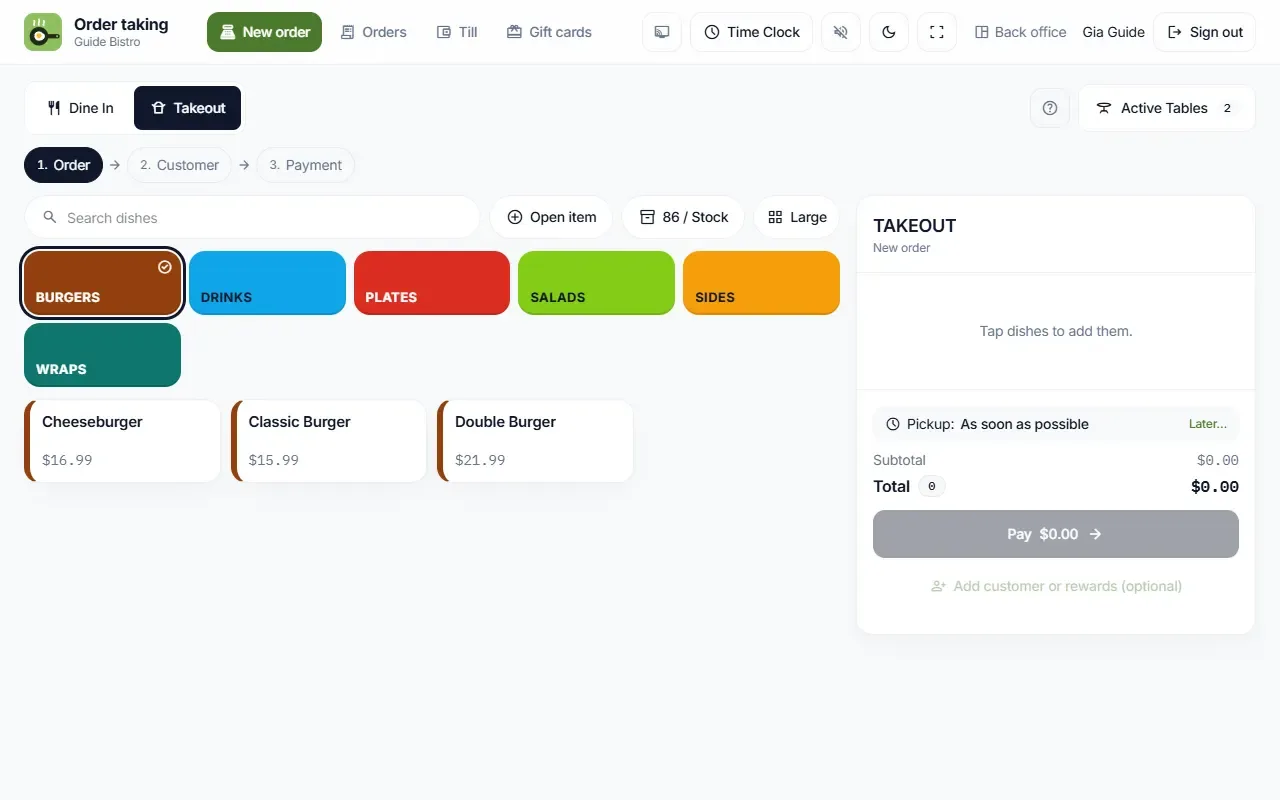
The register (Take orders, or the Skillet POS app) is built for a tablet at the counter. Categories are bright colour tiles you arrange yourself.
- Tap a category, then a dish. If it has choices (size, toppings, sides), pick them in the panel beside the order. Add & repeat adds several of the same dish.
- Use Search to find any dish, or Open item for something not on the menu.
- Send the order to the kitchen, then Pay: cash (with change), card on your own card terminal, gift card, house account or a delivery app. Split evenly, by seat or by item, and add tips.
- Voids, comps and discounts ask for a manager’s PIN. Mark a dish sold out (86) right on the register.
If the internet drops, the register keeps taking orders and catches up when it’s back. Close each shift with End shift, and count the drawer in Till (float, cash drops and end-of-day count).
Tip Skillet adds no fee to payments on your own terminal.